Customise Journal Icons
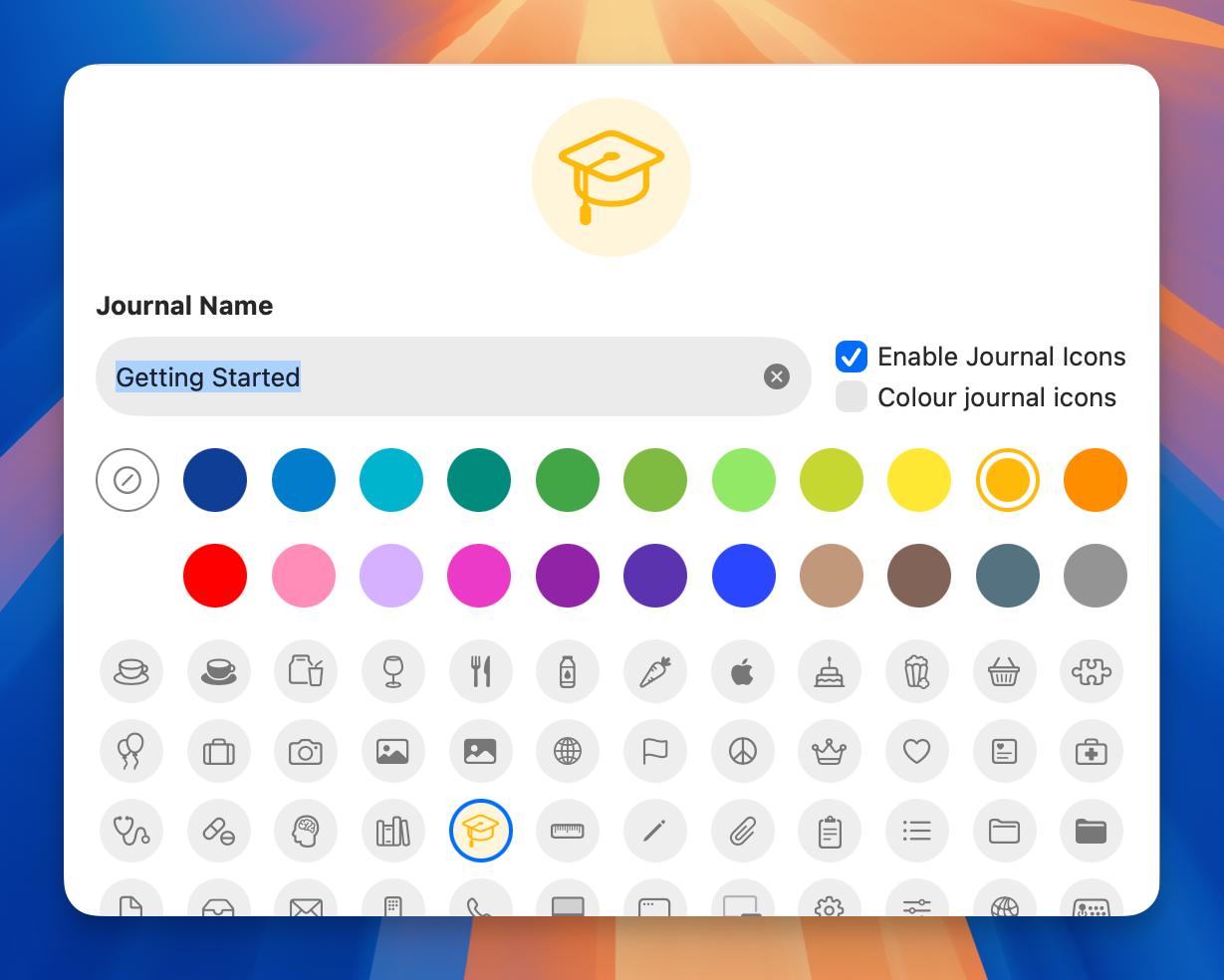
Add visual distinction to your journals with custom icons and colours, making it easier to navigate between different areas of your notes at a glance.
How to Customise
- Right-click on any journal in the sidebar
- Select Journal Properties
- Choose an icon from the gallery
- Optionally select a colour to highlight the icon
Tips
- Disable journal icons entirely by unticking Enable Journal Icons for a cleaner look
- Toggle Colour Journal Icons to add colour to the icon itself in addition to the colour stripe
- Both settings apply globally, not just to individual journals
- Choose icons that reflect each journal’s purpose (e.g., graduation cap for learning, coffee for work, camera for travel)
Note: Custom icons are only available for journals, not folders. Folders always use the standard folder icon.