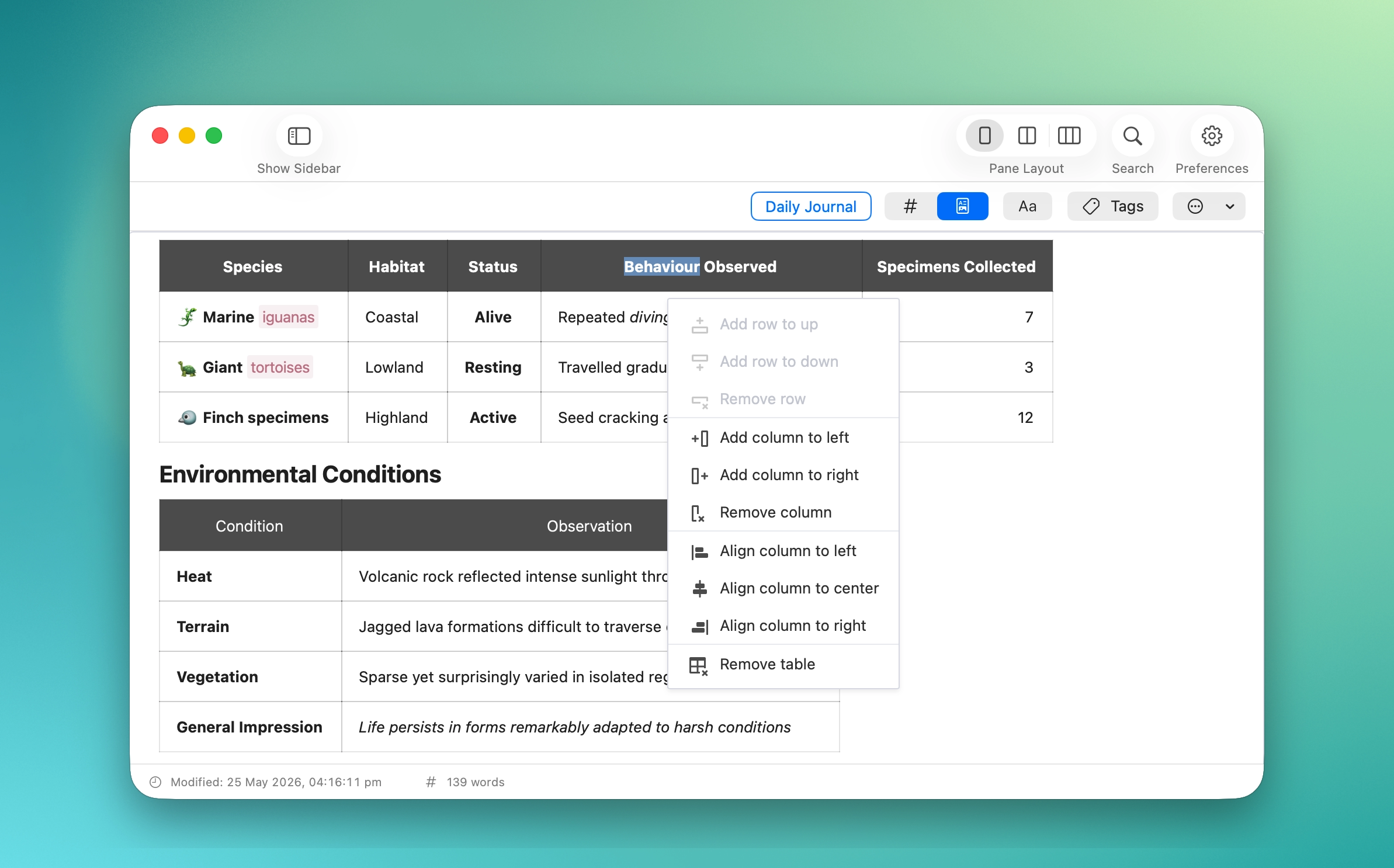
MinkNote gives you rich table controls directly inside your notes. Add or remove rows and columns, adjust alignment, and reshape your layout in seconds, all while keeping clean Markdown behind the scenes.
Tables in MinkNote are designed to feel effortless yet powerful. With a simple context menu, you can add rows above or below, insert columns to the left or right, remove rows or columns, and even delete the entire table when you’re done.
You can also align each column exactly how you want: left, center, or right. These controls make it easy to format comparison charts, structured data, planning grids, or research summaries without manually editing Markdown syntax.
Behind every action, MinkNote maintains clean and readable Markdown. The structure stays transparent and portable, while the editing experience feels polished and intuitive on macOS. You get precise control over your layout, without sacrificing simplicity or long-term maintainability.